SharkByte CRM for service contractors
A sales CRM for mechanical and service contractors. A web app for the office and a mobile app for the field take every deal from the first lead, through the building survey and the estimate, to a finished proposal.
- Client
- SharkByte
- Product
- Web CRM and mobile app for contractors’ sales teams
- My role
- UI/UX Designer
- Year
- 2019, with Sombra
Overview
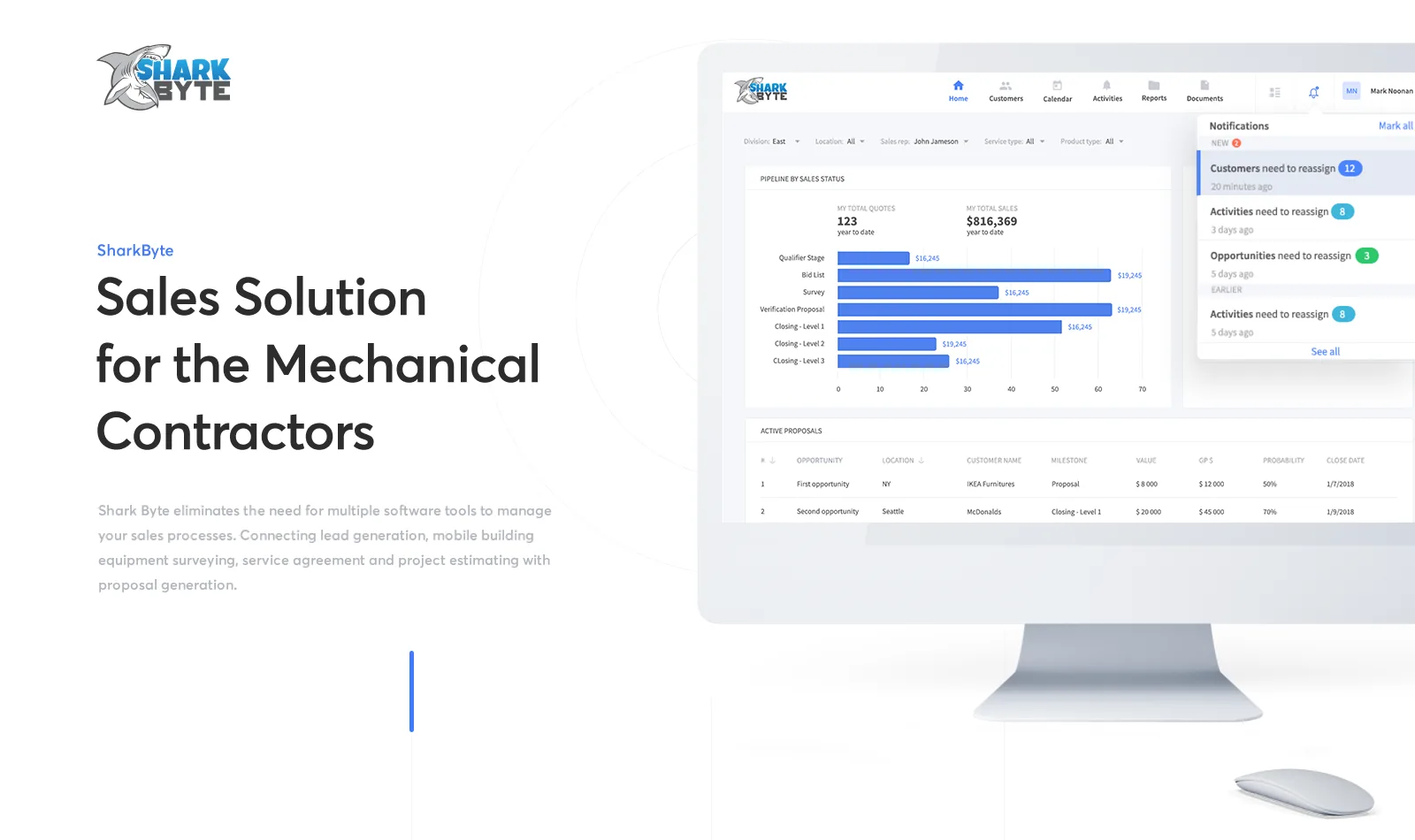
SharkByte guides mechanical and service contractors through the whole sales process. Lead generation, building and equipment surveys, service agreements, project estimates and proposals live in one product instead of several separate tools.
It also gives managers a clear view of what the sales team is doing, and gives everyone, in the office and in the field, up-to-date tools for their part of the deal.
Challenge
Selling service and project work for buildings takes many steps and a lot of exact data:
- Too many tools. Leads, surveys, estimates and proposals were handled in separate software.
- Little visibility. Managers had no single view of the sales team’s activities and pipeline.
- Data from the field. Reps need detailed information about each building and piece of equipment, collected on site and backed by photos.
- Accurate costing. Every contractor includes different variables in their cost of operations, so estimates have to adapt to each business.
Solution
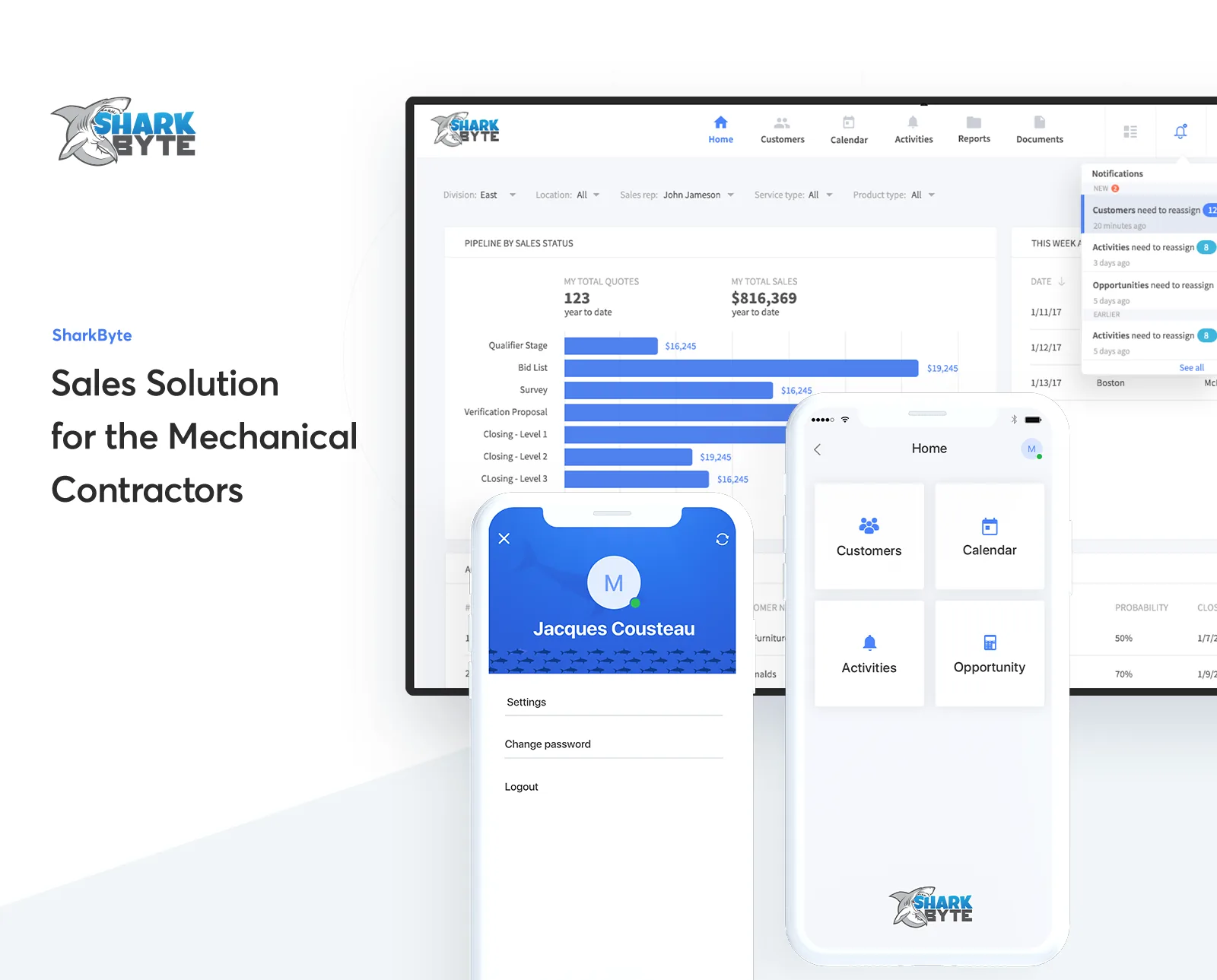
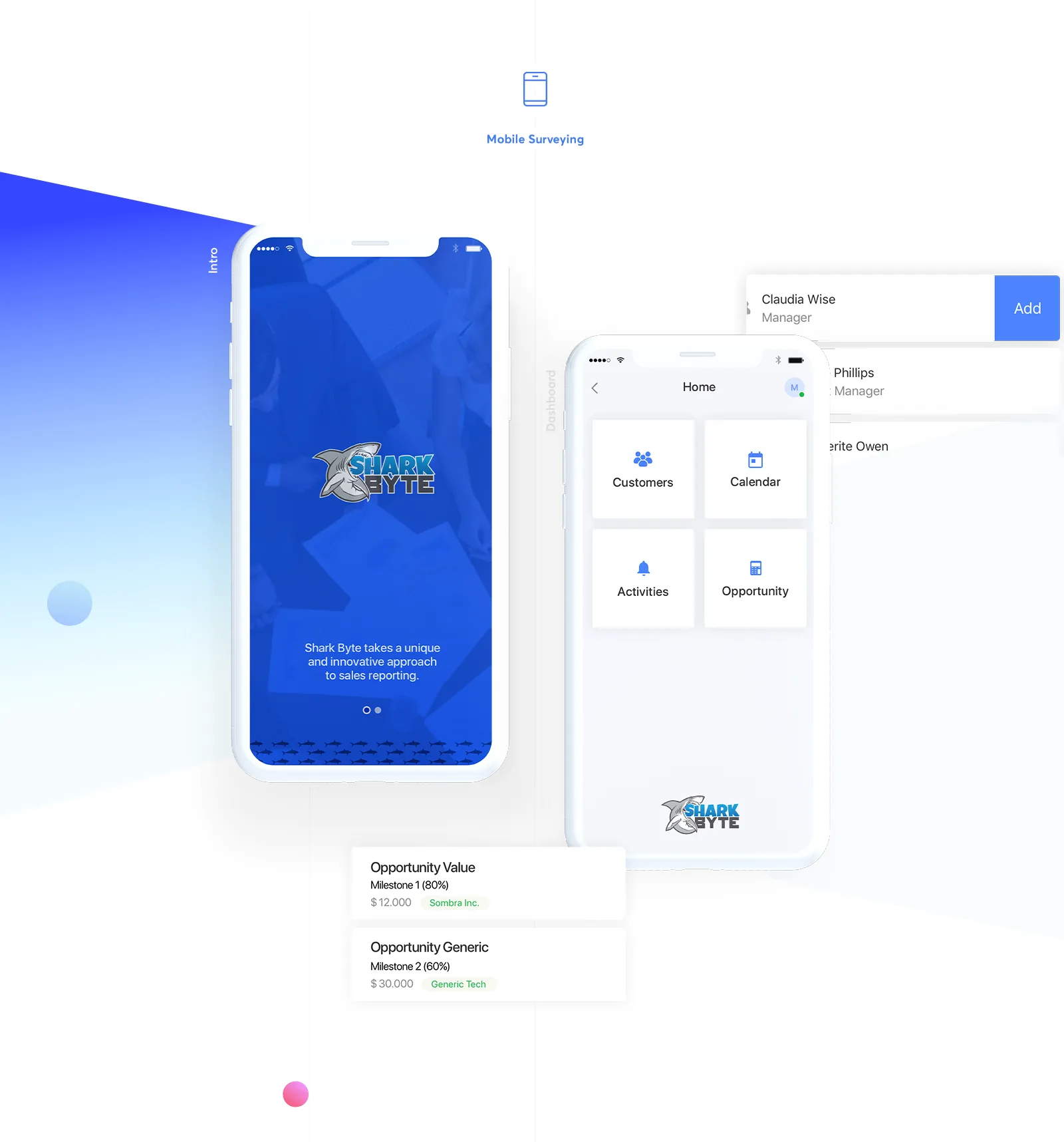
One CRM that follows a deal from start to finish. The web app is organised around six areas that stay in the top navigation: Home, Customers, Calendar, Activities, Reports and Documents. The mobile app gives reps the four they need on site: Customers, Calendar, Activities and Opportunity.
- Sales dashboard with the pipeline by sales status, total quotes and sales for the year, active proposals, and alerts about customers, activities and opportunities to reassign.
- Customer profiles with locations, contact people, the assigned sales rep, installed equipment, history, opportunities and pipeline value.
- Mobile surveying of buildings and equipment, with photos attached on the spot.
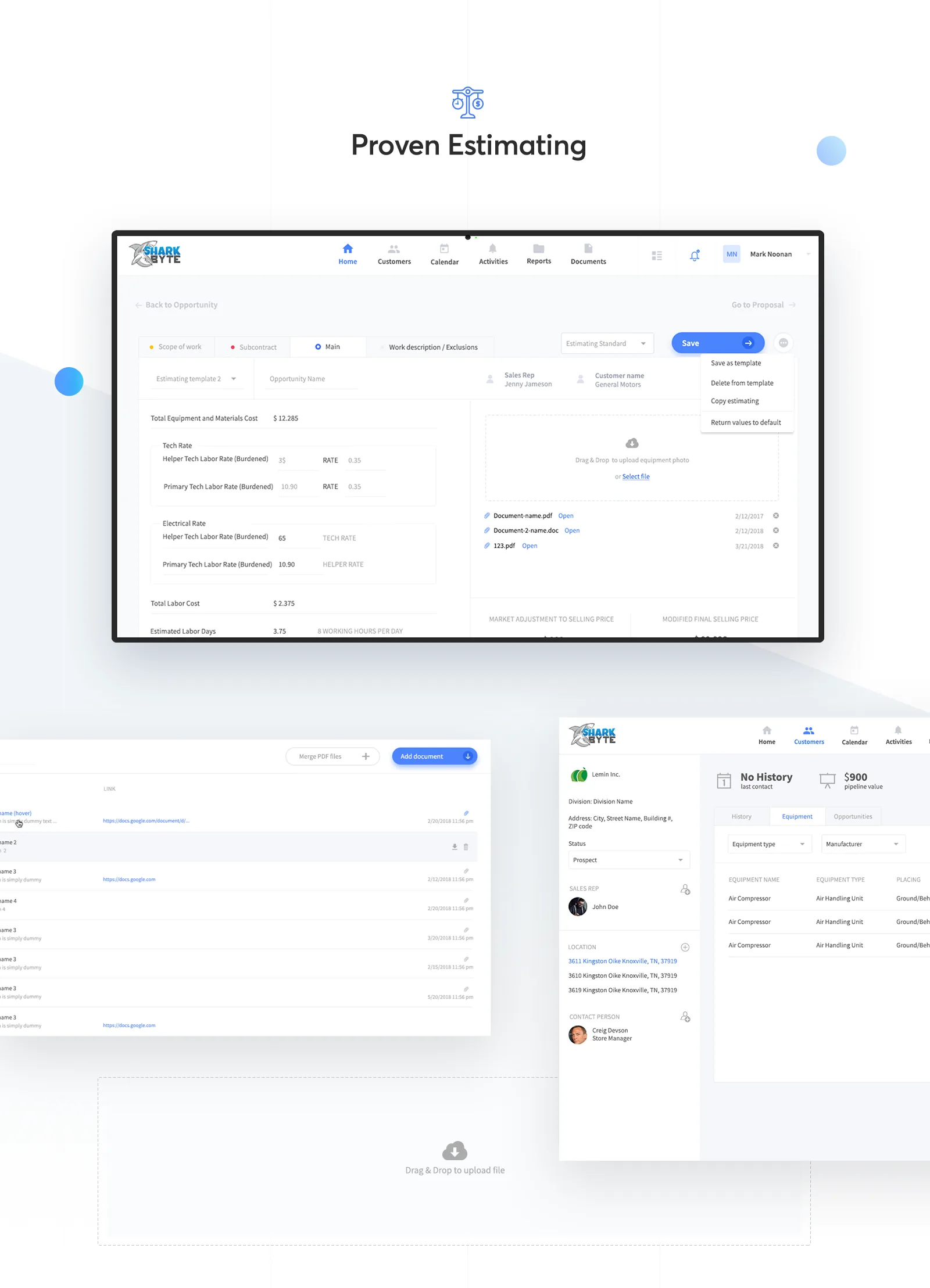
- Estimating from equipment, material and labour costs to the final selling price, with reusable templates.
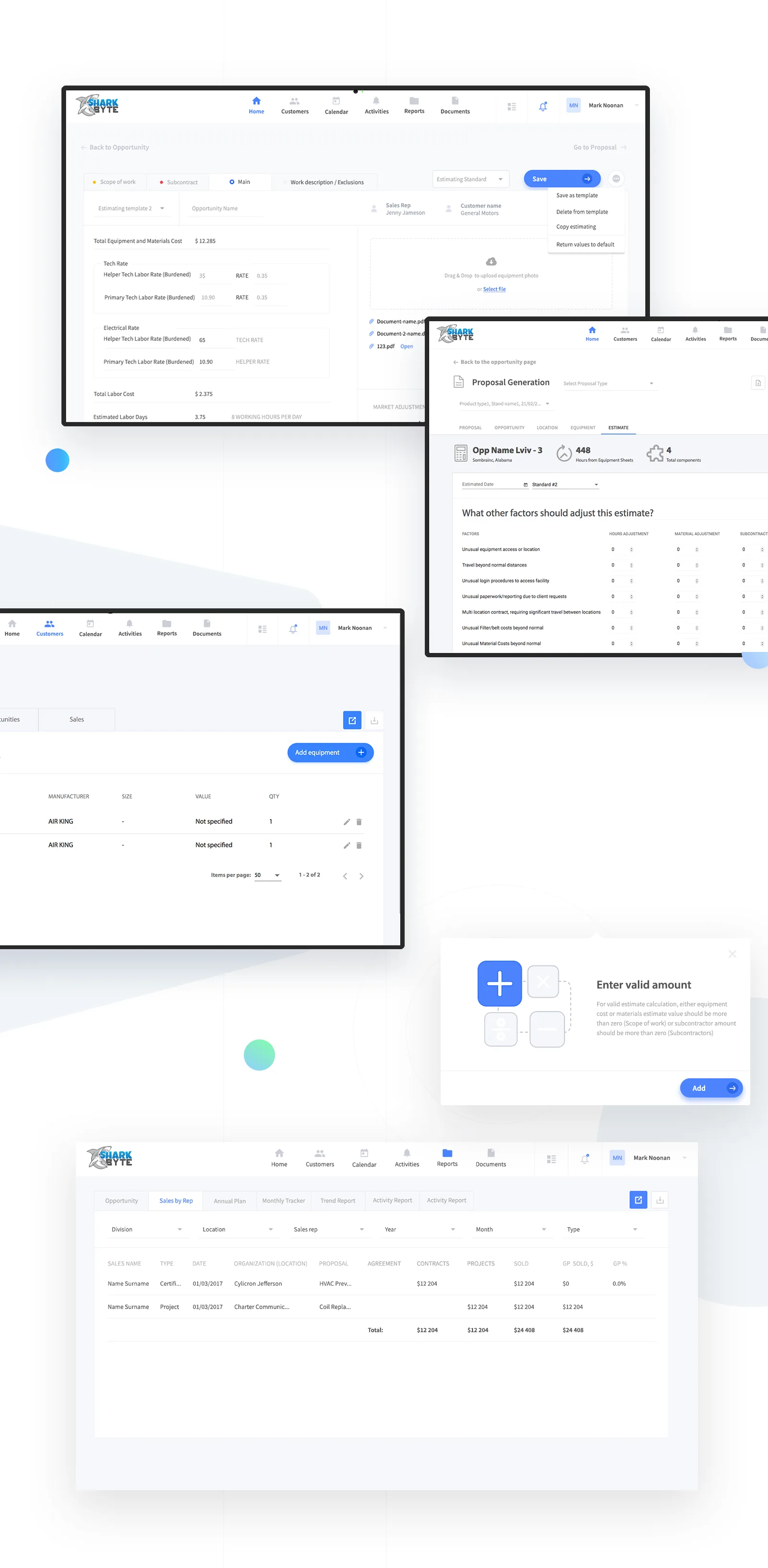
- Proposal generation that adjusts the estimate for factors such as travel, site access or extra paperwork.
- Reports on sales by rep, the annual plan, monthly progress, trends and activities.
- Documents for each deal, with file upload and merging PDFs.
Web app for the office
The web app is for sales managers and estimators who work with a lot of numbers. Every screen follows the same pattern: filters at the top, data in clear tables and cards, and the main action in one consistent blue button.
Estimating walks the team from equipment and material costs, through technician and electrical labour rates, to the market adjustment and the final selling price. Templates let estimators save, copy and reset their standard setups, and a clear message explains what to fix when an amount isn’t valid.
Mobile surveying
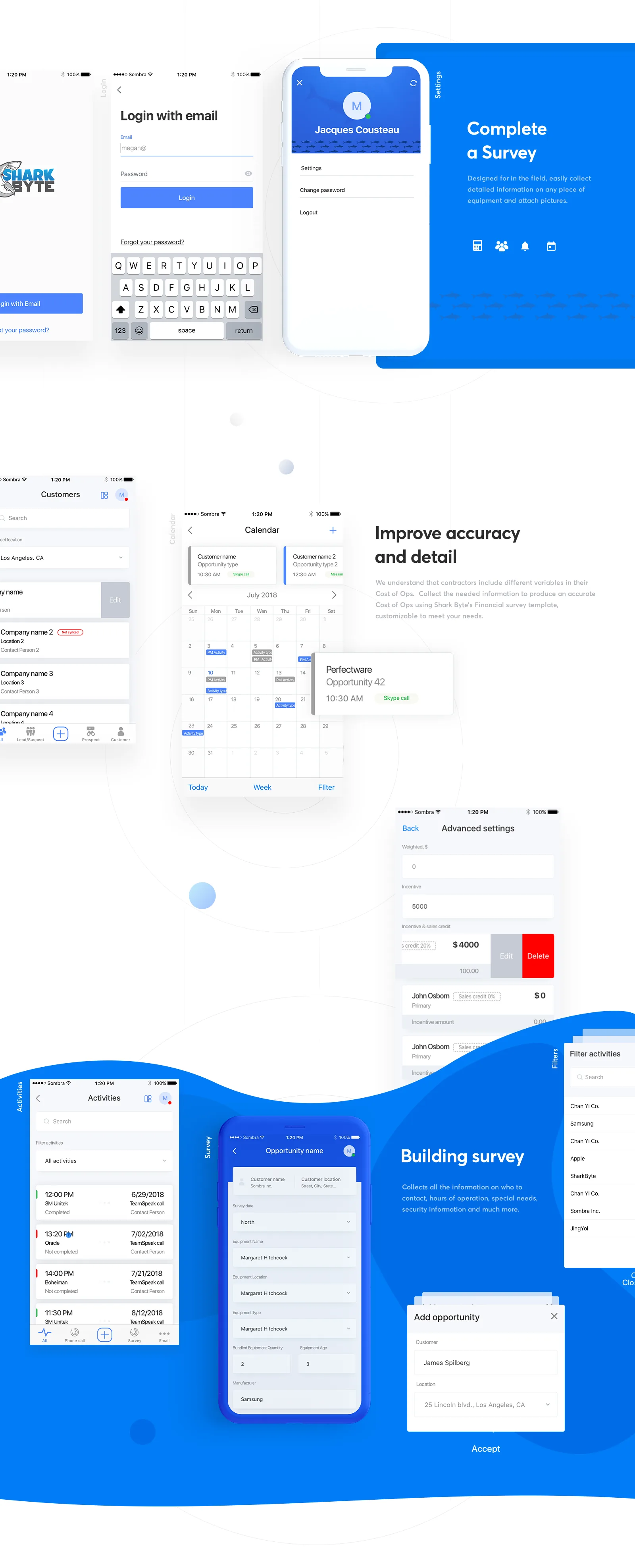
The mobile app is made for work on site. Reps sign in with their email, see their customers, calendar and activities, and fill in surveys right where the equipment is.
- Building survey collects who to contact, opening hours, special needs, security information and more.
- Equipment survey records detailed information about any piece of equipment, with photos attached.
- Financial survey template, customised for each contractor, gathers what’s needed for an accurate cost of operations.
Visual language
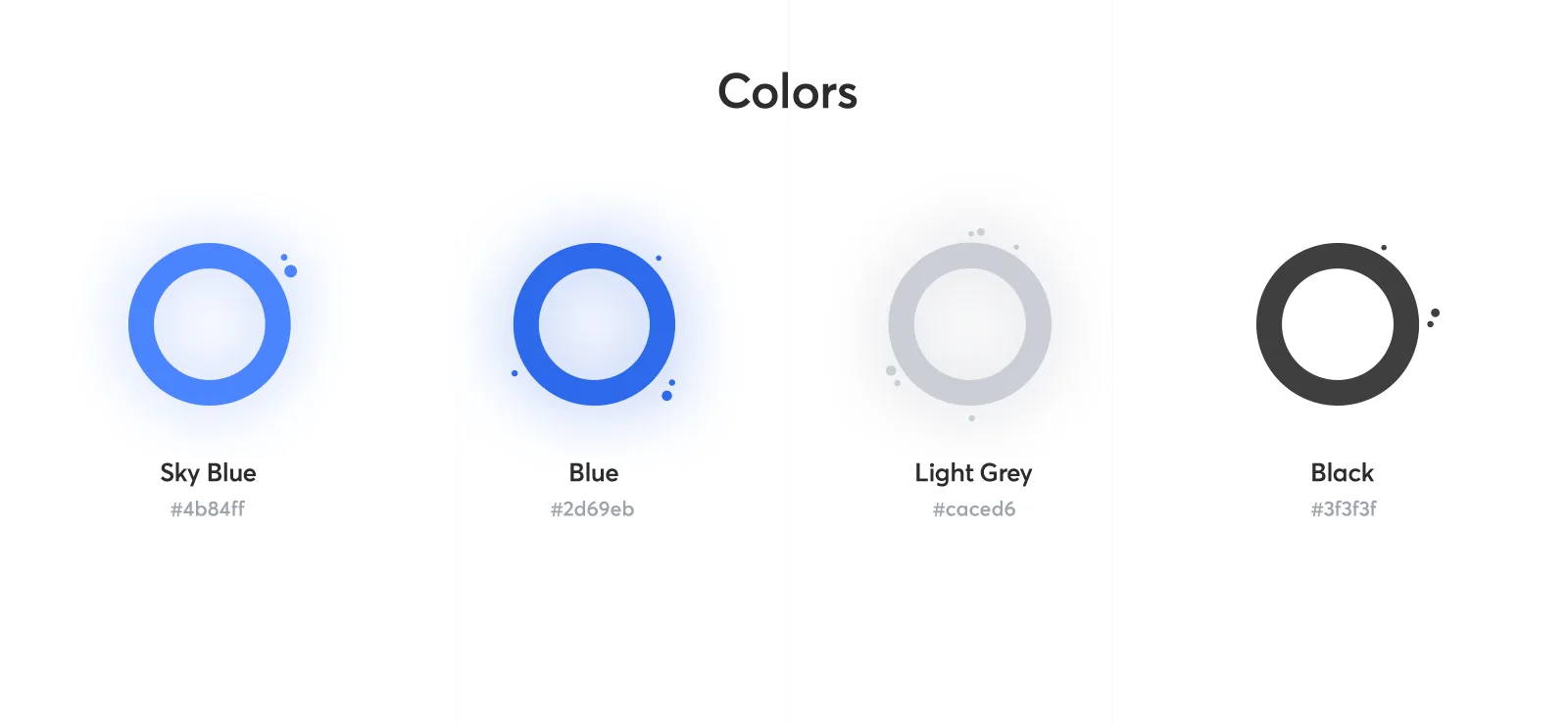
A calm, light interface lets the data lead. Two blues mark actions and progress, light grey separates areas, and a soft black keeps text easy to read on long working days.
Outcome
- One product for the whole sales process instead of several separate tools.
- Clear visibility for managers over the team’s activities and pipeline.
- Complete data from the field, captured on site with photos.
- More accurate estimates and proposals, built on that data and on each contractor’s own templates.
Takeaways
SharkByte showed how much a CRM gains when the office and the field share one source of data: what a rep records on site flows straight into the estimate and the proposal. Designing for both, a manager at a desk and a rep in a building, kept every screen focused on the next step of the deal.