50 Floor iPad CRM for in-home flooring sales
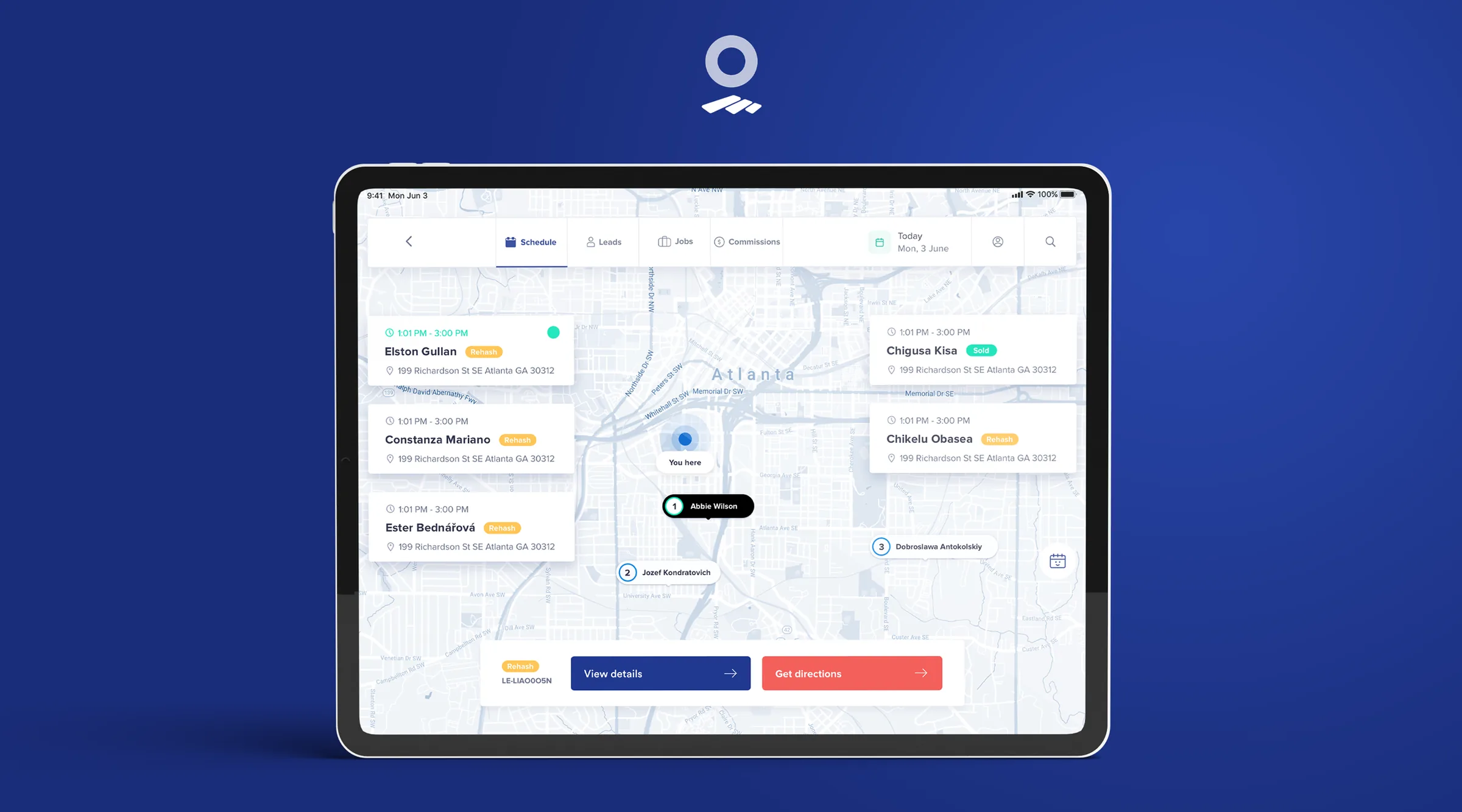
An iPad app for a leading American flooring company that brings samples to customers’ homes. Sales representatives use it to run their visits, show flooring options, calculate prices and manage orders, all in one place.
- Client
- 50 Floor, USA
- Product
- iPad CRM for sales representatives
- My role
- Lead UI/UX Designer
- Team
- 1 PM, 4 full-stack and 3 iOS developers, 2 AQA engineers, 1 designer
Overview
50 Floor sells, measures and installs floors across the U.S. Customers book a free in-home appointment, and a sales representative brings vinyl, laminate, carpet, hardwood and tile samples to their home.
The company had a large customer base and outdated operations. Representatives presented samples, measured rooms and coordinated installations by hand. The goal of the project was a user-friendly, scalable and efficient CRM app that would change how they work.
Challenge
The business faced four problems:
- Manual processes. Job calculations lived in heavy spreadsheets, which slowed the work down and led to mistakes.
- Outdated tools. A 30-year-old ERP system made warehousing, order fulfilment and customer service inefficient.
- Customer experience. Service had little automation, and customers were unhappy with it.
- Budget constraints. To control costs, the company decided to grow its in-house team and build its own solution instead of buying an off-the-shelf product.
From laptop to iPad
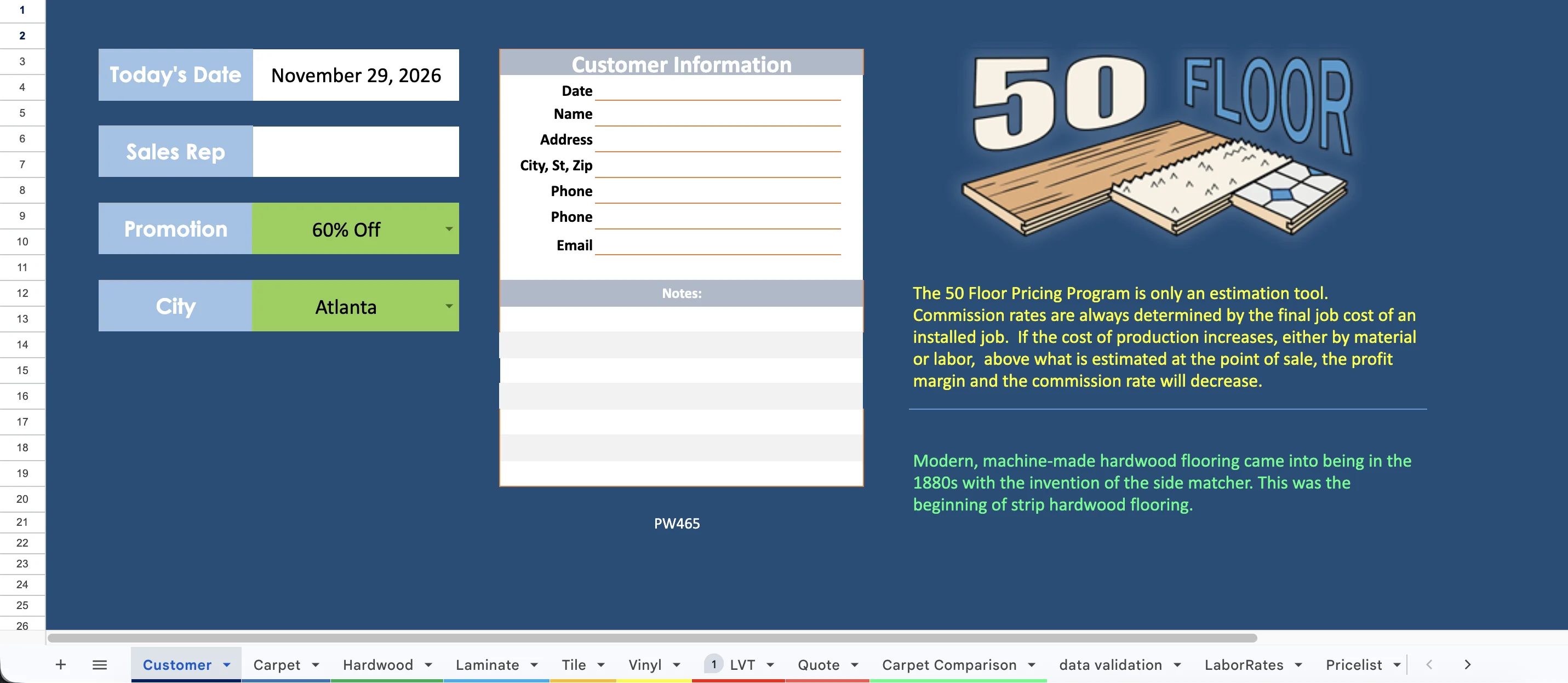
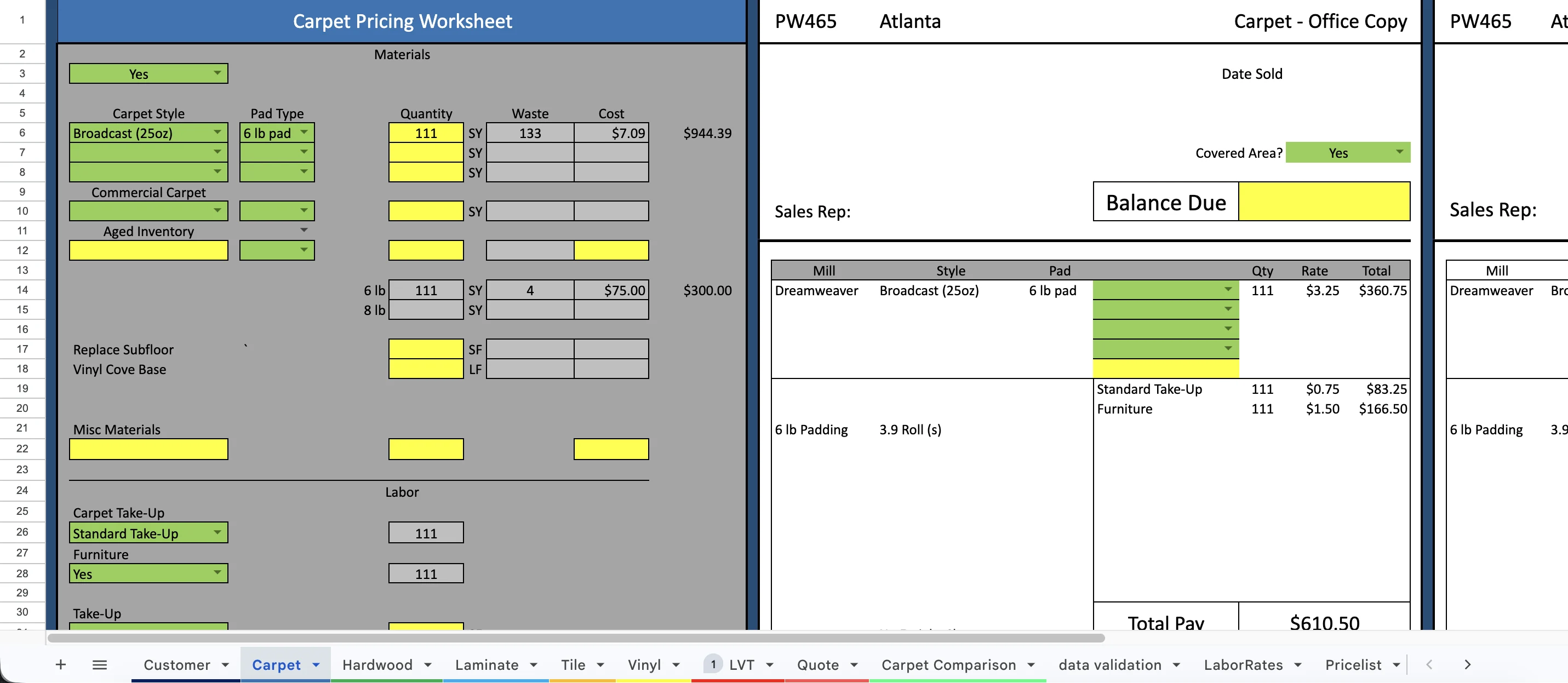
Before the app, sales representatives carried a laptop from room to room and priced each job in a spreadsheet with a dozen tabs: customer details, a worksheet for every flooring type, labour rates, a price list and the quote. Every number went into a cell by hand, so quotes were slow and easy to get wrong.
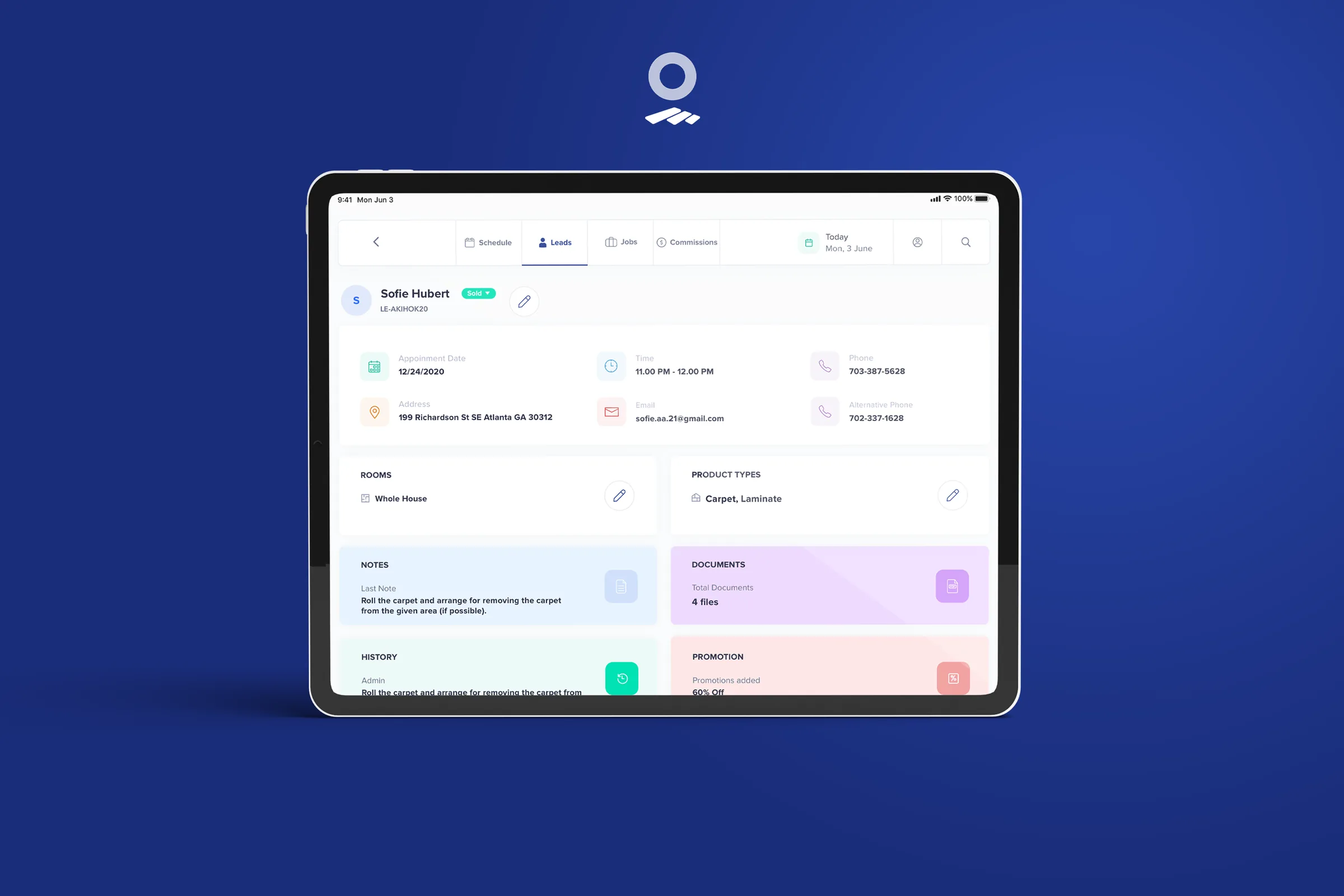
I replaced it with an iPad app that guides the visit step by step, from the customer and rooms to materials, labour, promotion and the contract. The app does the calculations, and the representative shows the customer a clear summary instead of a spreadsheet.
Solution
I led the design of an iPad CRM app for the company’s sales representatives and in-house teams. It makes their work faster, simplifies their workflows and gives customers a better experience:
- Automated job calculations replace the manual spreadsheets, with fewer errors and less time spent on each quote.
- Custom CRM for managing customers, tracking inventory and fulfilling orders.
- Scalable solution built on a containerised architecture.
- Simple interface that lets representatives focus on selling, not on the technology.
Research and personas
I ran quantitative surveys to learn what users need, where they struggle and what matters most to them. The many responses gave us a clear picture of the target audience and a solid base for the MVP.
From the research I built personas for sales representatives and customers. They guided the design decisions through the rest of the project.
Wireframes
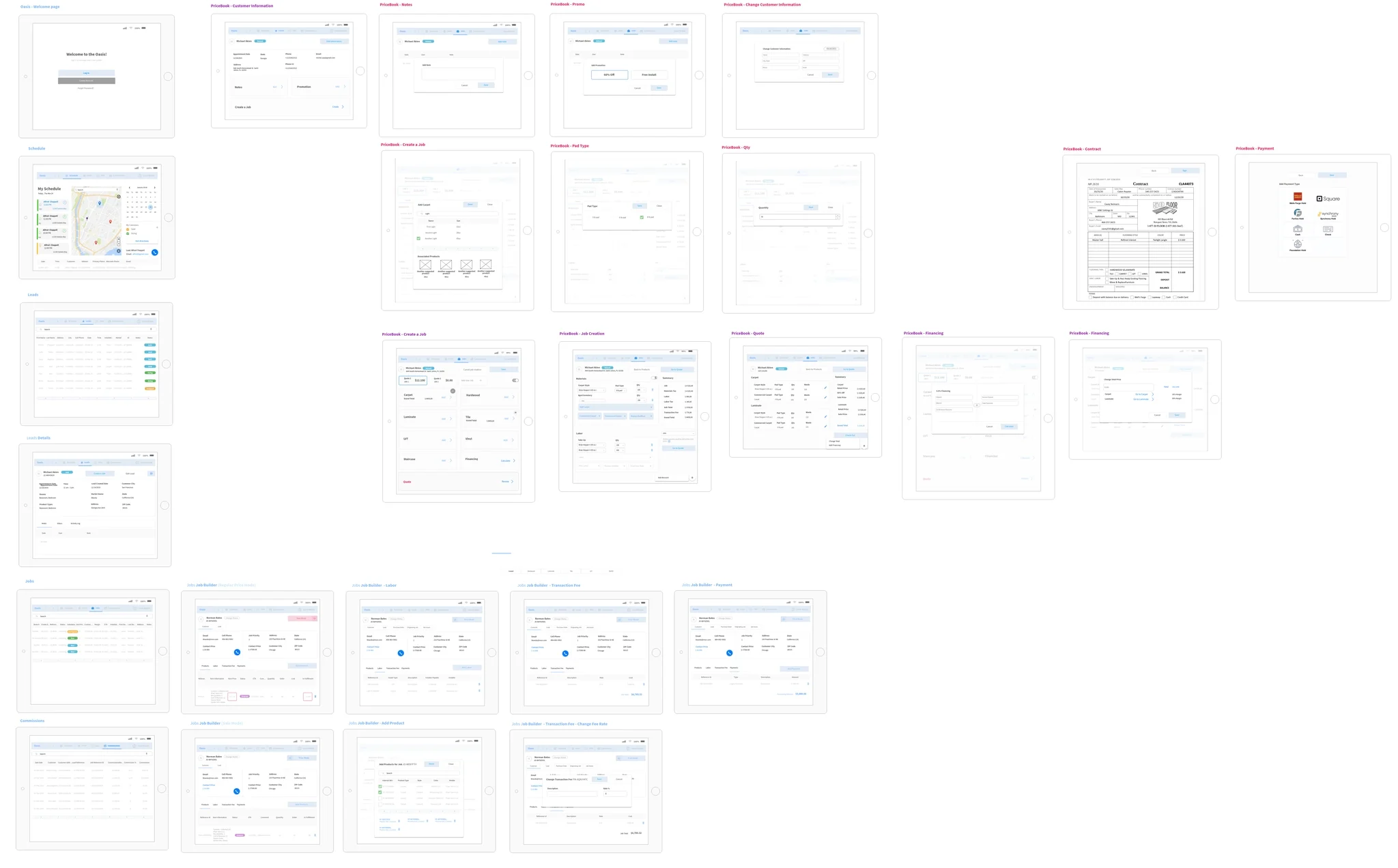
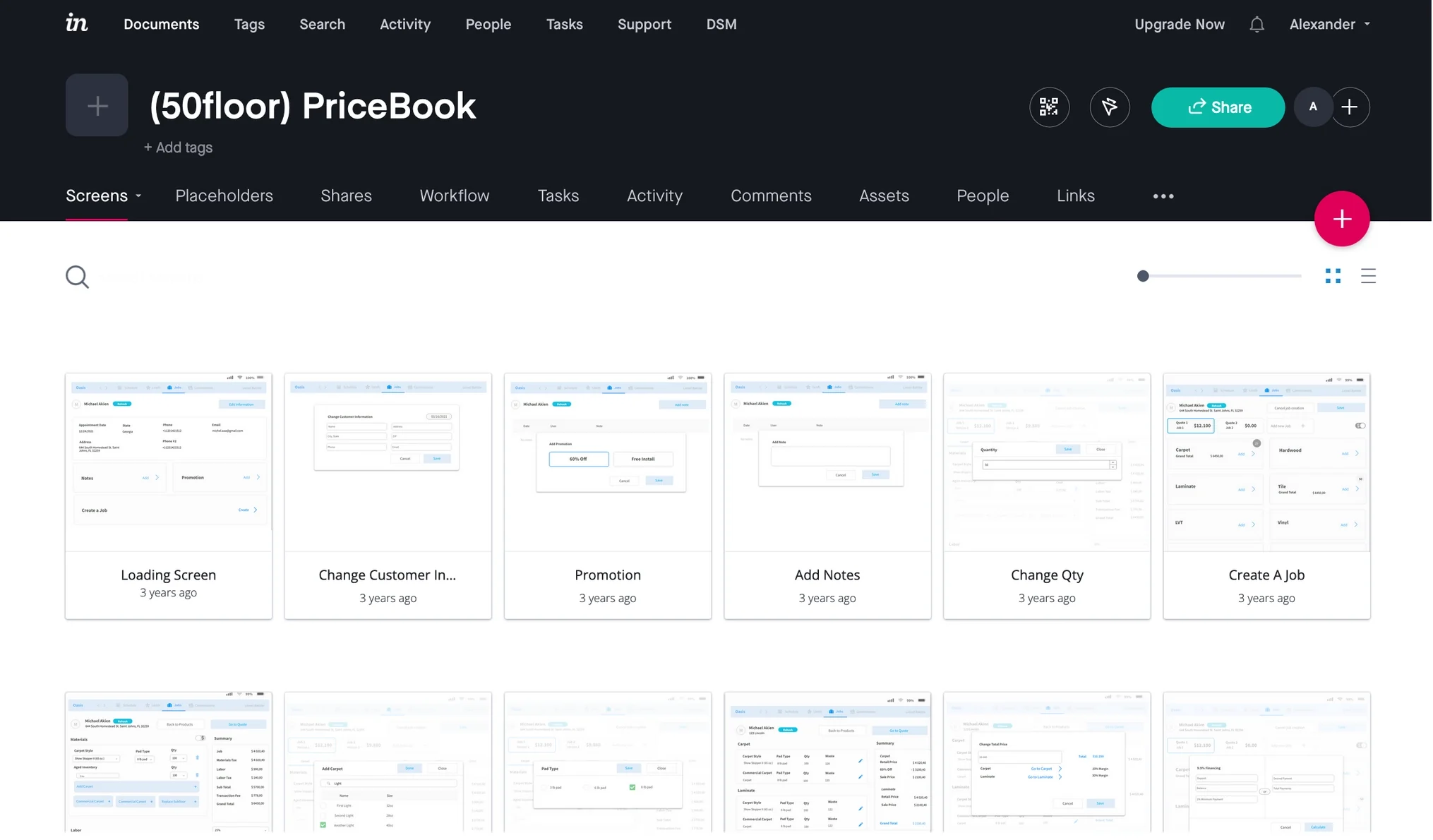
Once the main steps were clear, I created low-fidelity wireframes. The engineering team used them to estimate the effort, and together we cut the scope so we could launch on time.
I refined the designs in iterations to keep them in line with the project goals and what was technically feasible.
UI design
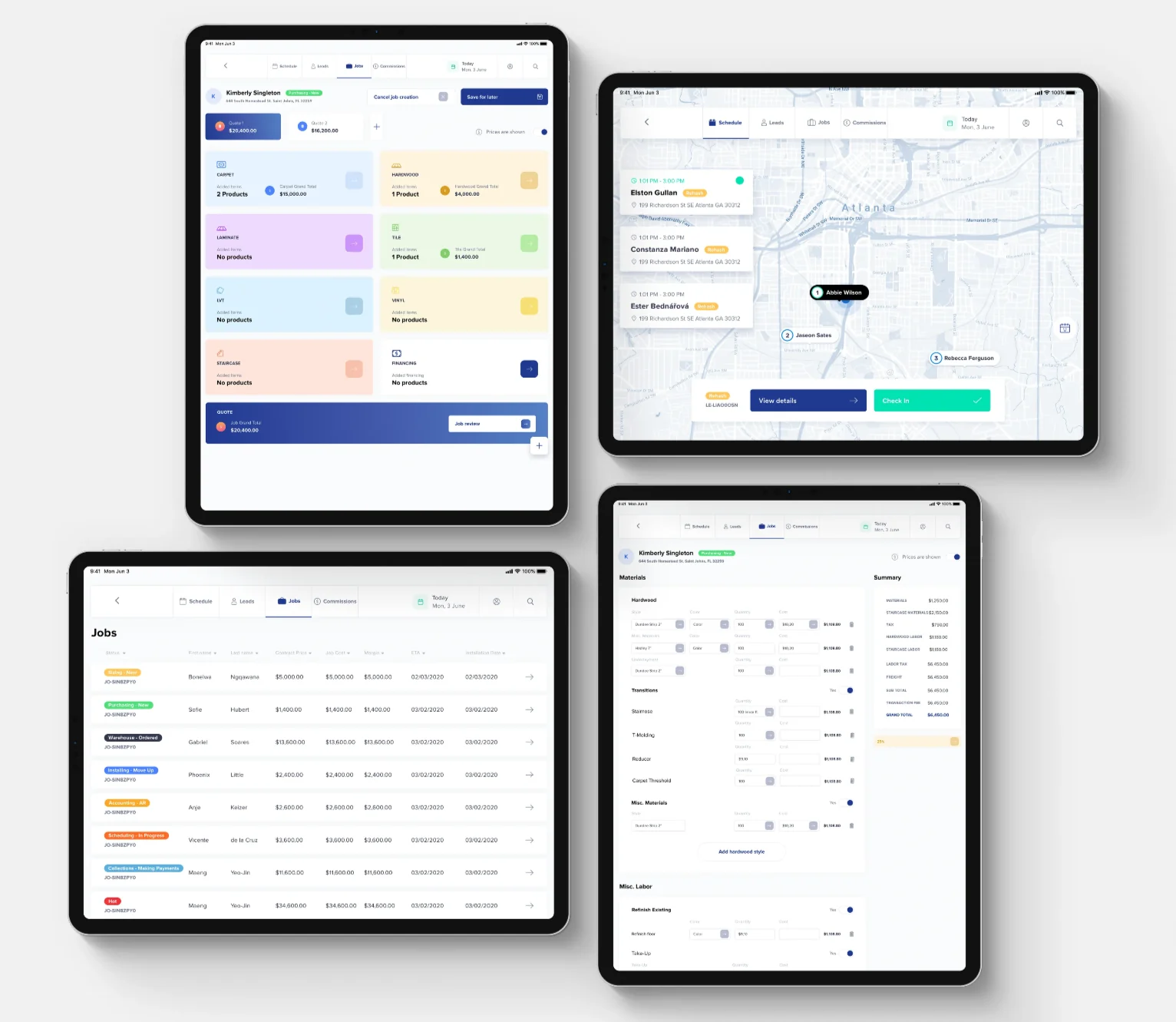
I designed a clean, modern interface for the tablet. During a visit, representatives use it to show flooring samples, calculate prices and manage orders without switching tools.
A responsive design system kept the interface consistent and ready for new features.
I’m happy to walk you through the full UI and a demo on a call.
Design documentation
For the engineering handoff I wrote detailed documentation, so the team built every screen clearly and consistently.
I also kept a library of reusable design elements, which made updates and new iterations faster.
Results
- Higher efficiency. Sales representatives complete their tasks over 30% faster.
- Better customer experience. Smoother operations led to higher customer satisfaction and more repeat business.
- Lower costs. Building with the in-house team saved significant money compared to off-the-shelf solutions.
Takeaways
This project showed me how much scalability and usability matter in apps a business runs on every day. Designing for both the sales team and their customers let me balance business goals with a product people are happy to use.